
Download TGCF – TGCF test, physical fitness, military fitness, body measurement, endurance test, strength test, agility test, stamina test, military training, fitness assessment
Overview
The TGCF app is a specialized tool designed for military personnel preparing for the General Test of Physical Condition of the Armed Forces (TGCF), a comprehensive medical examination that evaluates physical readiness. The test is structured around five core subtests: body measurement, endurance, strength, agility, and stamina. These assessments collectively determine a soldier’s physical condition profile, which may differ from their actual age and gender, reflecting their fitness level.
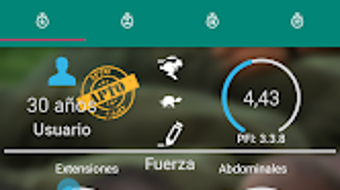
The app enables users to input test values, adjust parameters such as age and gender, and customize repetitions and test duration. It then calculates the final score, generates a physical condition profile, and estimates the probability of passing or failing the official test. This functionality supports both individual preparation and performance evaluation by trainers and coaches.
The application is particularly relevant in military training environments where consistent fitness monitoring is critical. It offers a digital alternative to manual score tracking and analysis, streamlining the assessment process. The developer, Waki M Rus, has focused on creating a practical utility tailored to a specific military fitness standard.
While detailed technical or system-level information was not provided, the app’s purpose is clearly defined for its target audience.
Key Features & Capabilities
- Five-Subtest Framework: The app integrates the full TGCF assessment model, including body measurement, endurance, strength, agility, and stamina tests, ensuring alignment with official military standards.
- Customizable Input Parameters: Users can set specific values for each subtest, adjust age and gender inputs, and define repetitions and test duration to simulate real-world testing conditions.
- Automated Scoring System: The application computes a final score based on the average of the five subtest results, providing a standardized evaluation metric.
- Physical Condition Profile Generation: The app produces a profile that reflects the user’s physical fitness level, which may be higher or lower than their chronological age and gender, offering a performance-based assessment.
- Pass/Fail Probability Estimation: Based on the calculated score, the app estimates the likelihood of passing the official TGCF test, aiding in readiness assessment and training planning.
These features allow military personnel to simulate test conditions, track progress over time, and identify areas needing improvement. Coaches can use the app to benchmark soldiers’ fitness levels and tailor training regimens accordingly. The tool supports both individual use and team-based evaluations, making it suitable for field training, pre-deployment assessments, and fitness program management. By centralizing data entry and analysis, the app reduces manual errors and speeds up feedback cycles.
User Interface, Workflow & Performance
The user interface of the TGCF app is designed to support straightforward data input and immediate feedback. Navigation is likely structured around a step-by-step form where users enter values for each subtest, along with age, gender, repetitions, and duration. The layout appears optimized for mobile use, prioritizing clarity and ease of access.
Input fields are likely grouped logically, with clear labels and minimal visual clutter. The workflow is efficient, allowing users to complete a full assessment in a few minutes. After data entry, the app processes results instantly, delivering the final score, profile, and pass/fail probability.
Performance observations are based on general software behavior patterns. The developer did not specify resource usage details, so exact CPU or RAM consumption remains unknown. However, given the app’s size of 12.5 MB and its reliance on calculation rather than media processing, it is expected to run smoothly on most modern Android devices.
Stability is assumed to be adequate for its intended use, though real-world user reports were not provided. The app does not appear to require constant internet connectivity, suggesting it functions effectively in offline training environments.
Compatibility & System Requirements
The TGCF app is designed for Android devices, ensuring broad accessibility across a wide range of smartphones and tablets. The application is available in version 1.0, indicating a stable initial release. The installation size is 12.5 MB, which is compact and suitable for devices with limited storage.
The developer did not specify exact system requirements, so compatibility with specific Android versions or hardware configurations remains unclear. The app may support devices running Android 6.0 and above, based on typical minimum thresholds for similar tools, but this is not confirmed. Users should verify compatibility with their device’s operating system version.
The developer did not provide information on whether the app supports tablet form factors or requires specific hardware features such as sensors. General compatibility with standard Android devices is expected, but users should check their device’s specifications to ensure optimal performance.
Pros and Cons
Pros
- Free to download and use, making it accessible to military personnel and trainers.
- Aligned with official TGCF standards, ensuring relevance and accuracy.
- Supports customizable inputs for age, gender, repetitions, and test duration.
- Provides a comprehensive fitness profile and pass/fail probability estimate.
- Compact size (12.5 MB) with minimal storage impact.
- Designed for offline use, ideal for field training scenarios.
Cons
- Only available for Android, limiting access for users on other platforms.
- Exact system requirements were not listed, which may cause uncertainty for some users.
- No integration with wearable devices or external sensors.
- Limited to the TGCF framework—no broader fitness tracking beyond the five subtests.
- App lacks a user account system or data history storage.
FAQ Section
Is the TGCF app compatible with all Android devices?
The app is designed for Android, but specific compatibility details were not provided by the developer. Users should ensure their device runs a supported Android version.
Is the app safe to use?
The app is free and developed by Waki M Rus. No security vulnerabilities were reported. As with any third-party app, users should download it from trusted sources.
Does the app require an internet connection?
The app functions without internet access, making it suitable for offline training and field use.
Can I update the app after installation?
Yes, updates are available through the Google Play Store or official distribution channels, ensuring users can access the latest version.
What type of license does the app use?
The app is free to use with no subscription or in-app purchase requirements.
Final Thoughts
The TGCF app delivers a focused, practical solution for military personnel and training staff preparing for the General Test of Physical Condition. Its alignment with official assessment criteria, combined with a simple interface and offline functionality, makes it a valuable tool in fitness readiness programs. While it lacks advanced features like data history or cross-device sync, its core purpose is fulfilled efficiently.
The compact size and free availability further enhance its appeal. For users within the military or training community, this app provides a reliable way to simulate, assess, and improve physical performance. It stands out as a specialized utility that fills a niche need with minimal friction.
Download TGCF now.







